Peace GUI for Equalizer APO: Setup, Interface & Fixes (2026)
Peace GUI turns Equalizer APO from a text file into sliders, presets, hotkeys, and a live response graph. This walkthrough covers the Peace GUI install, every part of the interface, AutoEQ imports, per-device profiles, and the errors people actually hit. Menu names and paths were verified in Peace GUI v1.6.5.2 on July 13, 2026.
What Peace GUI Is (and What It Cannot Do)
Peace GUI is a front end, written by Peter Verbeek. Equalizer APO still does the audio processing; the Peace GUI just writes config.txt for you. Two things follow from that.
If you uninstall Equalizer APO, Peace GUI stops working. They are a pair. And the Peace cannot rescue a broken Equalizer APO install: if the driver sits on the wrong device, Peace shows a working interface, the sliders move, the graph updates, and your audio stays untouched. Run the preamp test before you blame Peace.
How to Install Peace GUI for Equalizer APO in 5 Minutes
Back up config.txt first. Copy it from C:\Program Files\EqualizerAPO\config\ somewhere safe, because the Peace overwrites it on first launch.
Download PeaceSetup.exe from the official Peace SourceForge page and nowhere else. Verbeek has publicly warned about a scam site running under the Peace name. Run the setup: it checks for Equalizer APO and shows “Yes, installed” if it found it. Click Install, then Start Peace, allow the config.txt overwrite, and pick the full interface so every control is visible.
Setup says Equalizer APO is missing, but you just installed it? Your antivirus probably quarantined a file. Check the quarantine, restore anything from the Equalizer APO program folder, and add that folder to exclusions. Full steps are in fix 7.
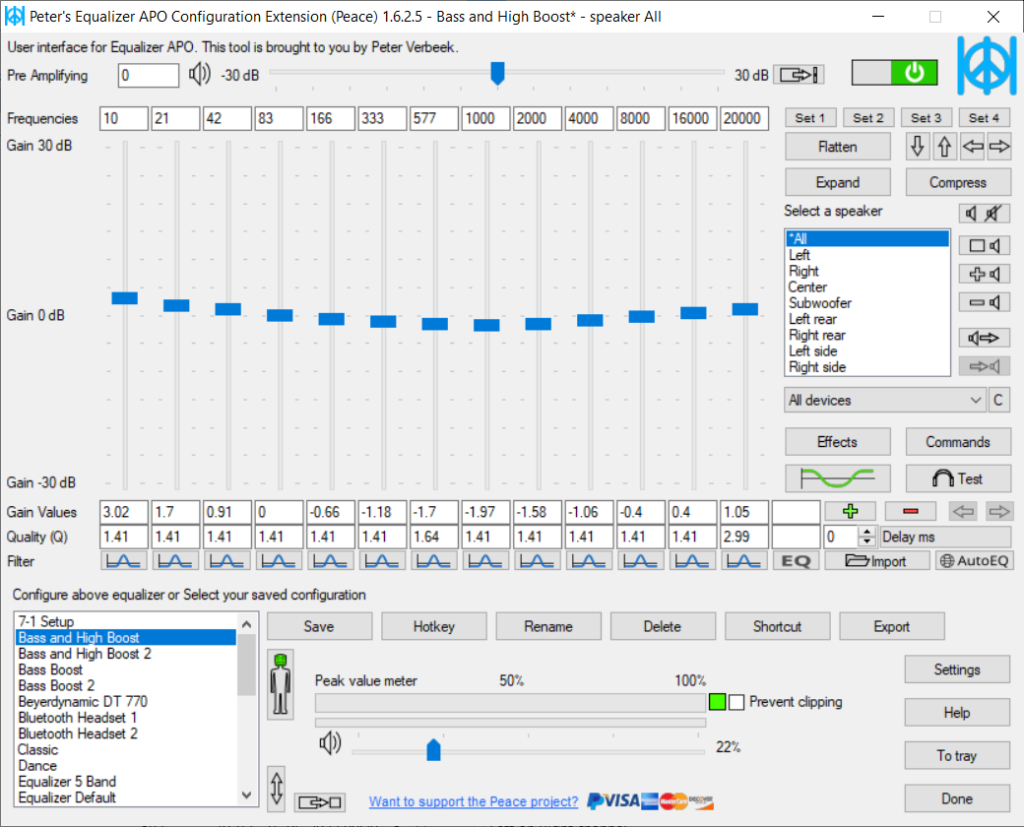
The Peace GUI Interface, Region by Region
The sliders are peaking filters. Each one maps to a Filter N: line in config.txt. Right-click a slider to type an exact frequency, gain, and Q instead of dragging. The graph above them is the combined response of every active filter, the same curve computed on our preset pages.
The preamp slider on the left is your clipping protection. The Peace suggests a value as your boosts grow; take the suggestion. The preset bar saves the current state under a name and recalls it in one click, and you can assign a hotkey to each saved preset for switching mid-game. The on/off switch in the top right is your instant A/B test, and the quickest way to confirm Peace is reaching your audio at all.
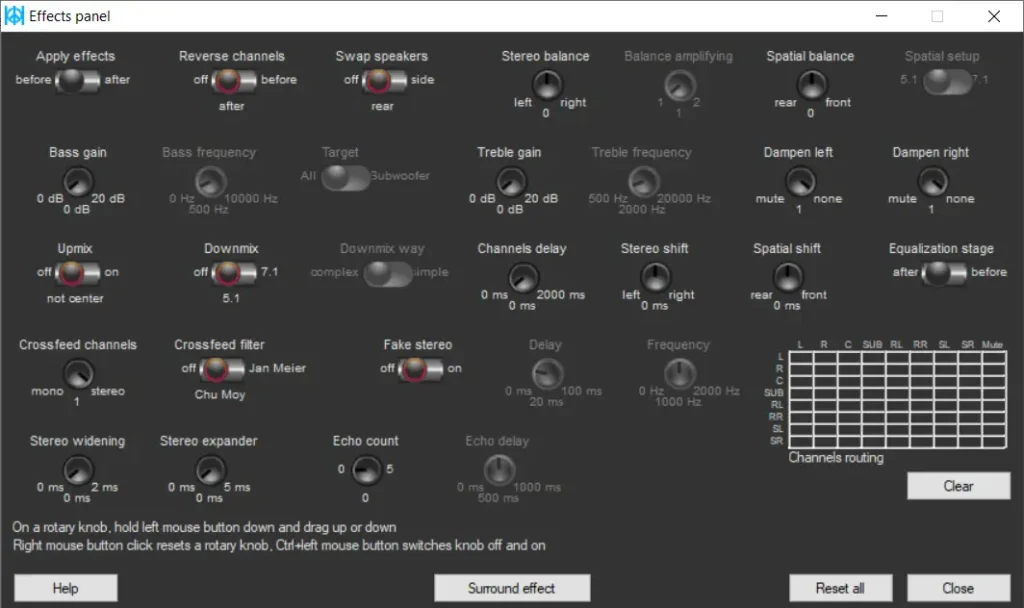
The effects button opens balance, crossfeed, and per-channel delay. Crossfeed blends the stereo channels slightly, which makes old hard-panned recordings listenable on headphones. The tray icon keeps preset switching one right-click away.
Import an AutoEQ Profile Into Peace GUI
Find your headphone’s ParametricEQ.txt in the AutoEQ results on GitHub. The .csv in the same folder is raw measurement data and will not import; the full import walkthrough is on the presets page. In the Peace , click the import button, select the file, and save it as a named preset. Peace applies the file’s preamp value on its own, so do not lower it further.
Per-Device Profiles in Peace GUI
The Peace can bind a preset to a specific output device, so a footstep preset stays on your gaming headset while a music preset stays on your speakers. One catch: it only switches between devices Equalizer APO is installed on, so tick every device you use in the Configurator first. This is device-level switching. No APO-based tool, Peace included, can give Spotify and a game different EQ on the same device at the same time. For that, Boom 3D is the honest answer.
Peace GUI Problems and Fixes
Uninstalling Peace GUI
The Peace GUI has its own uninstaller in its setup screen. Removing it does not remove Equalizer APO. If you want both gone, follow the clean uninstall order so no stale device references are left behind.