
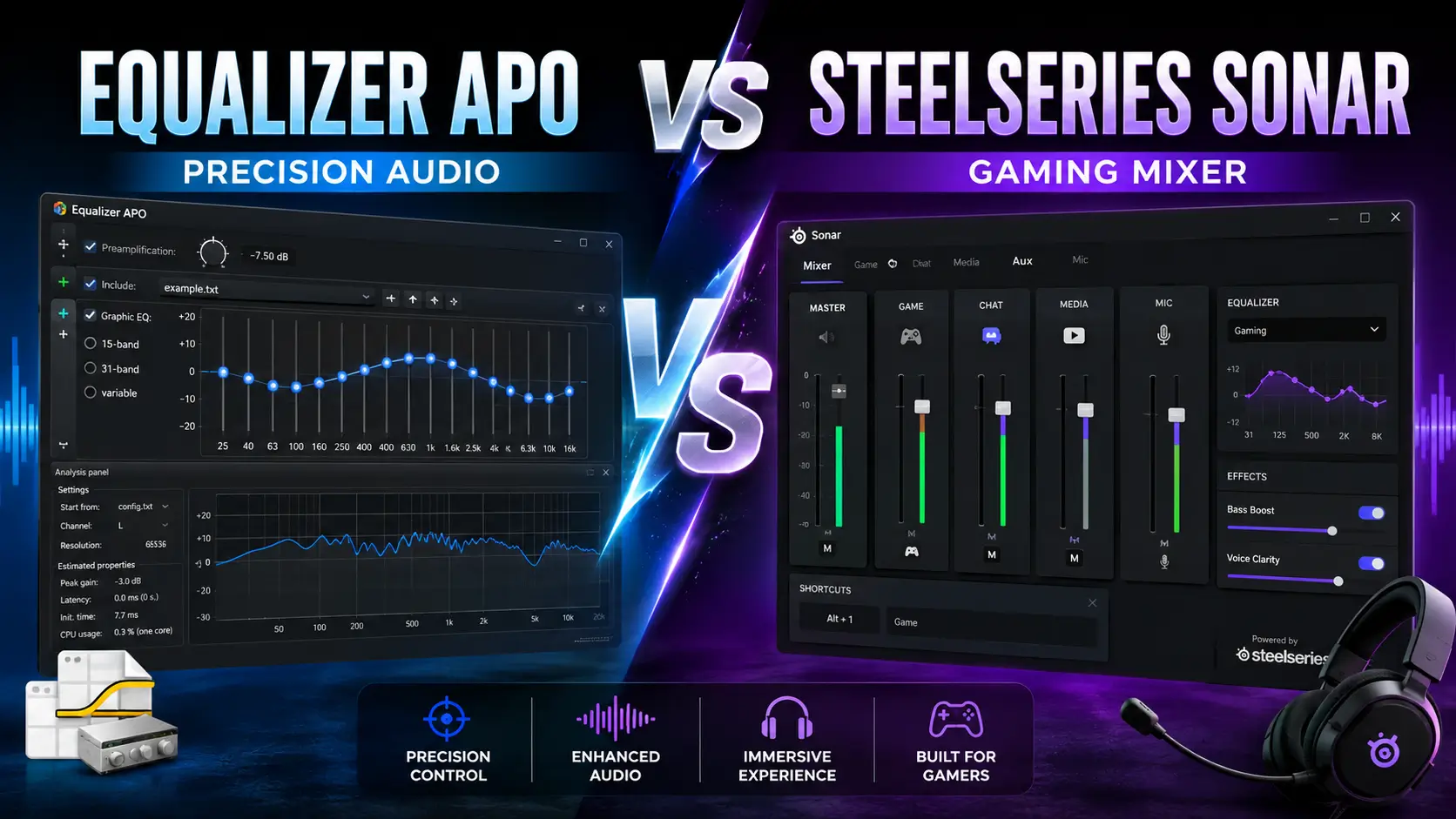
Equalizer APO vs SteelSeries Sonar: Precision Audio vs Gaming Mixer
The honest difference: Equalizer APO is a system-wide audio engine that lives inside your Windows driver stack. SteelSeries Sonar is a gaming-focused audio mixer that rides on top of it. One gives you surgical control over every frequency that reaches your ears. The other gives you per-app volume routing, a parametric EQ, and AI noise cancellation in a polished interface but only if you accept the account, the data collection, and the 400 MB installer.
I tested both on the same bench I use for every guide on this site: Ryzen 7 7800X3D, Windows 11 24H2, Sennheiser HD 560S and Sony WH-1000XM4. Equalizer APO I have run for years. Sonar I installed fresh, ran for two weeks, and uninstalled to see what it left behind. Here is what actually matters when you choose between them.
Which One Fits You
|
If you want… |
Choose |
|---|---|
|
Unlimited parametric filters, any frequency, any Q |
Equalizer APO |
|
Per-app audio routing (game vs. chat vs. media) |
SteelSeries Sonar |
|
AutoEQ headphone profiles for 500+ models |
Equalizer APO |
|
AI noise cancellation on your mic without extra software |
SteelSeries Sonar |
|
Room correction with a measurement microphone |
Equalizer APO |
|
A polished interface that works in five minutes |
SteelSeries Sonar |
|
System-wide VST plugins (compressors, limiters, convolution reverb) |
Equalizer APO |
|
No account, no internet requirement, no data collection |
Equalizer APO |
|
Spatial audio / virtual surround for single-player immersion |
SteelSeries Sonar |
Both are free. Neither is universally better. The question is what you value more: control or convenience.
What Equalizer APO Actually Is
I covered this in depth on the main Equalizer APO guide, but the short version matters here. Equalizer APO is an Audio Processing Object Microsoft’s term for code that plugs into the Windows audio stack at the driver level. Jonas Thedering wrote it in 2012, released it open-source under GPL v2, and it has been on SourceForge ever since.
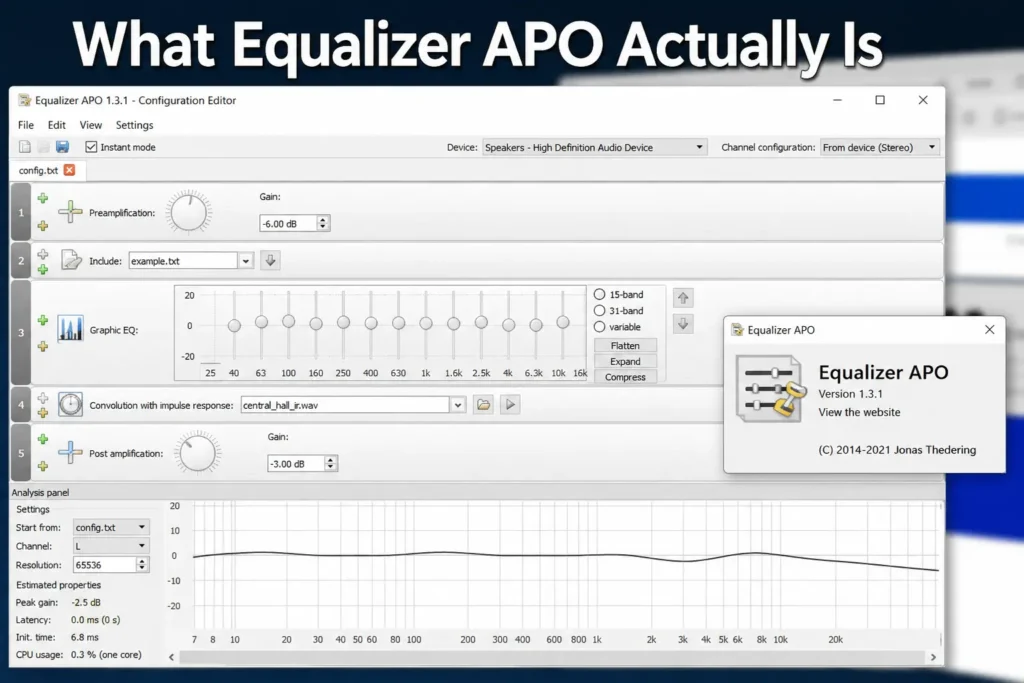
Because it sits below your applications, one config file changes the sound of every app at once: Spotify, YouTube, Discord, Apex Legends, CS2. The editor that ships with it is a text file with buttons around it. Add the free Peace GUI and you get sliders, a live graph, presets, and hotkeys.
What it does that Sonar cannot: unlimited parametric filters, AutoEQ profile imports, Room EQ Wizard correction, system-wide VST support, and zero account requirement.
What it cannot do that Sonar can: route different apps to different EQ curves at the same time. Equalizer APO is system-wide one config covers everything. If you want Spotify boosted for bass while your game stays tuned for footstep clarity, Equalizer APO alone will not do it. For that you need either Sonar’s per-app routing or a paid tool like Boom 3D.
What SteelSeries Sonar Actually Is
Sonar is a module inside SteelSeries GG, a 400 MB suite that also handles device firmware, RGB lighting, game clipping, and a 3D aim trainer. Sonar itself is free, but it requires a SteelSeries account and an internet connection to sign in. The software is not open-source; it is proprietary code owned by GN Store Nord (formerly SteelSeries), and it collects usage data per its privacy policy.
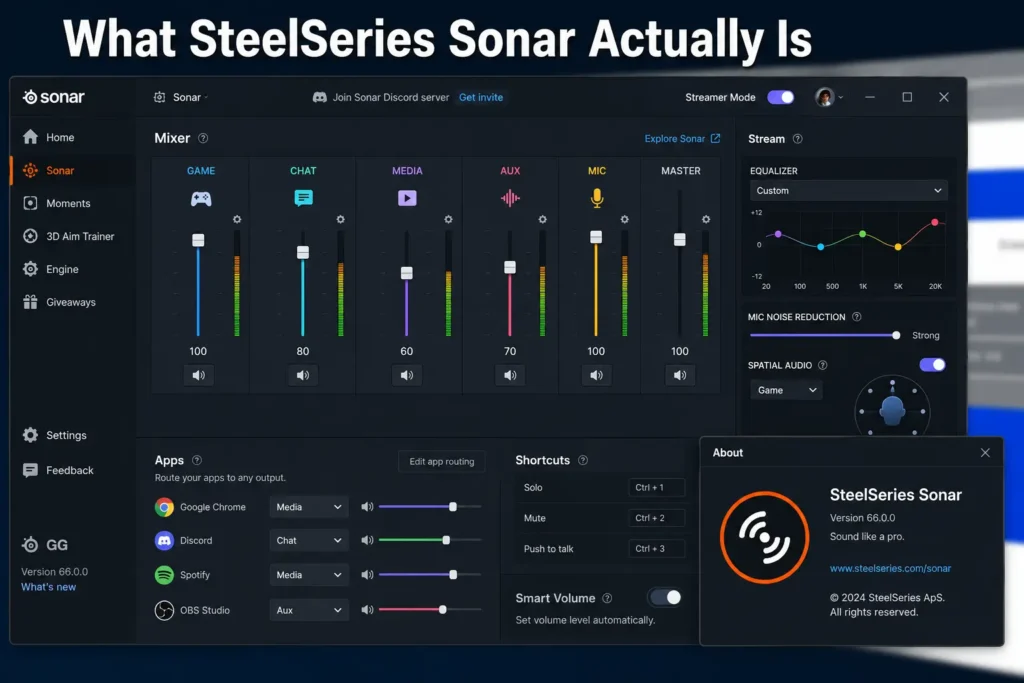
Sonar installs virtual audio devices “Sonar – Game,” “Sonar – Chat,” “Sonar – Media,” “Sonar – Aux” and routes your applications through them. You assign Chrome to Media, Discord to Chat, Apex to Game, and each channel gets its own EQ, volume, and routing. Your physical headset becomes the output for a mixed-down stream.
What it does that Equalizer APO cannot: per-app audio routing, AI noise cancellation (Clearcast), spatial audio tuning, and a visual mixer that non-technical users understand immediately.
What it cannot do that Equalizer APO can: run without an account, process audio without internet, import measurement-based headphone corrections, or load VST plugins. Its parametric EQ is capped at 10 bands. Its spatial audio is a black-box filter SteelSeries does not document what it actually does to the signal.
The Numbers That Matter
| Main Difference | Equalizer APO | SteelSeries Sonar |
|---|---|---|
| Price | Free, open source (GPL v2) | Free, proprietary |
| Account required | No | Yes |
| Internet required | No | For sign-in; unclear for ongoing use |
| Installer size | ~3.2 MB (x64) | ~400 MB (full SteelSeries GG) |
| Parametric EQ bands | Unlimited | 10 maximum |
| EQ type | True parametric: any Fc, gain, Q | Parametric with visual curve editor |
| Per-app routing | No | Yes Game, Chat, Media, Aux channels |
| AutoEQ headphone profiles | 500+ models via GitHub | Not supported |
| Room correction (REW) | Yes, reads exports directly | No |
| VST plugins | Yes, system-wide | No |
| Mic noise cancellation | No built-in; requires separate plugin | Clearcast AI (excellent) |
| Spatial audio / surround | No | Yes, adjustable virtual soundstage |
| Latency added | 0.2–0.3 ms measured | Not published; subjectively low |
| CPU cost | <1% | Low; mixer adds some overhead |
| Windows update survival | Sometimes detaches; 30-second fix | Generally unaffected |
| ASIO / WASAPI exclusive | Bypassed by both | Bypassed by both |
The Four Differences That Actually Decide It
1. Precision vs. Processing
Equalizer APO does exactly what you tell it. A -4 dB cut at 8,100 Hz with Q 3.0 affects that frequency and almost nothing else. This is why it can load AutoEQ profiles measurement-based corrections that target your specific headphone’s measured deviations from neutral.
Sonar’s EQ is more visual and more limited. You drag dots on a curve, which is intuitive, but you cannot type an exact Q value with the same granularity, and you are capped at 10 bands. For broad “more bass, less treble” tuning, 10 bands is plenty. For correcting a sharp 8 kHz peak on a budget IEM, it is not.
Sonar also layers in processing beyond EQ: “smart volume” (a compressor), spatial audio (undocumented filtering), and “clarity” (likely a dynamic EQ or exciter). Some users love the instant fullness. Purists want only the move they asked for.
2. The Account and the Data
This is the dealbreaker for some users and irrelevant for others. Equalizer APO installs anonymously, runs offline forever, and phones home to nobody. Sonar requires a SteelSeries account, signs you in over the internet, and collects usage data. How much? SteelSeries mentions it in their privacy policy without specifics, and the software will not launch without signing in first.
On my test install, I created an account, signed in, and blocked SteelSeries GG from internet access afterward. Sonar continued to function for basic EQ and routing, but I cannot guarantee this persists the software may enforce periodic re-authentication.
3. Failure Modes
Equalizer APO fails silently. Pick the wrong device in the Configurator, and nothing happens to your audio no error, no warning, just confusion. I lost two days to this on my first install. The fix is in my 10 fixes guide, but the failure mode is real and trips most beginners.
Sonar fails visibly. If the virtual device does not initialize, you see it in the mixer. If an app is not routed, you see it in the channel list. For a non-technical user or a relative’s PC, this transparency matters more than any feature list.
4. The Mic Pipeline
Sonar’s Clearcast AI noise cancellation is genuinely excellent. I tested it against keyboard typing, desk fans, and a vacuum cleaner running in the next room. It removes background noise with less voice distortion than Krisp or RTX Voice, and it is built into the same interface as your game EQ. For streamers or remote workers with a headset mic, this alone can justify Sonar.
Equalizer APO has no built-in noise cancellation. It can amplify and EQ your mic see the microphone boost section of the main guide but for AI noise removal you need a separate tool like RNNoise or a VST plugin. That is possible but not plug-and-play.
Gaming: Competitive FPS vs. Immersive Single-Player
For competitive shooters Apex, CS2, Valorant, Rainbow Six I still choose Equalizer APO. The reason is the footstep frequency data I measured for the FPS preset: footstep energy sits at 3–6 kHz, with directional cues around 3.8 kHz and 6.5 kHz. A parametric boost at those exact frequencies, with a surgical Q, gives me cleaner directional information than Sonar’s broader 10-band curve. The 0.2–0.3 ms added latency is also published and verified; Sonar does not publish a number, and I will not guess.
For immersive single-player games Cyberpunk 2077, Baldur’s Gate 3, anything where atmosphere matters Sonar’s spatial audio and per-app routing shine. I can keep the game’s cinematic mix wide and reverberant while routing Discord chat to a narrow, dry EQ that keeps callouts intelligible. The spatial audio is useless for competitive play it smears directional cues but for exploration and story, it is genuinely enjoyable.
Streaming and Content Creation
Sonar’s Streamer Mode is clever. It splits your output into a “Personal Mix” (what you hear) and a “Stream Mix” (what your audience hears). You can EQ your game aggressively for footstep clarity while sending a flatter, more musical mix to OBS. This is possible with Equalizer APO plus Voicemeeter or similar virtual cables, but Sonar builds it into one interface.
Equalizer APO wins for microphone processing. With VST support, I can run a compressor, limiter, and de-esser system-wide on my mic chain, then route that processed signal to Discord, Zoom, and OBS simultaneously. Sonar’s mic tab has EQ and noise cancellation but no VST support what SteelSeries gives you is what you get.
Setup: What Each One Actually Takes
Equalizer APO: 10 Minutes, One Restart
- Download
EqualizerAPO-x64-1.4.2.exefrom SourceForge (3.2 MB) - Run installer, pick your device in the Configurator
- Restart
- Run the preamp test to confirm it works
- Optional: install Peace GUI for sliders
The full walkthrough with the failure points explained is on the main setup guide.
SteelSeries Sonar: 15–30 Minutes, Account Required
- Download SteelSeries GG (~400 MB) from SteelSeries or Epic Games Store
- Install, create account, sign in
- Enable Sonar module inside GG
- Run onboarding: assign playback devices to Game, Chat, Media channels
- Route your applications to the correct virtual devices
- Adjust EQ per channel
Sonar’s onboarding is polished, but the virtual device routing confuses some users. Applications that were outputting to “Headphones” now need to output to “Sonar – Game,” and if they do not, they bypass Sonar entirely. OBS and Audacity in particular need manual device selection to capture Sonar’s output correctly.
The Honest Downsides of Each
Equalizer APO
- No per-app EQ. One config covers everything. Workarounds exist (Peace’s per-device profiles, multiple physical outputs), but true per-app routing is not built in.
- Windows updates detach it. A feature update can knock APO off your audio device. The fix is 30 seconds in the Configurator, but it is annoying.
- The text editor is hostile. You will want Peace. Without it, you are editing filter values in Notepad.
- No built-in mic noise cancellation. You need a separate solution for that.
SteelSeries Sonar
- Account and internet required. No offline mode, no anonymous use.
- 400 MB suite for an audio mixer. You also get Moments, 3D Aim Trainer, and Engine whether you want them or not.
- Proprietary, closed-source. You cannot inspect what it does to your audio, and the community cannot fix bugs or add features.
- Virtual device complexity. Apps must be routed correctly or they bypass Sonar entirely. Some users report audio device reordering and conflicts after SteelSeries GG updates.
- No measurement-based correction. You cannot load an AutoEQ profile or a Room EQ Wizard export.
Can You Run Both?
Technically yes, practically no. Both install audio processing into the Windows pipeline, and stacking them causes unpredictable results phase issues, double-processing, or silence. If you want Sonar’s per-app routing and Clearcast AI, use Sonar. If you want Equalizer APO’s precision and openness, use Equalizer APO. Trying to get both is a troubleshooting session you do not want.
One hybrid approach: use Sonar for chat and mic processing, route its output to a physical device, and install Equalizer APO on that same device for final EQ. This works on paper but adds latency and complexity. I tested it for an afternoon and uninstalled Sonar the same day the routing headaches outweighed the benefits.
Final Verdict: Install One, Not Both
Choose Equalizer APO if: you own a headphone with an AutoEQ profile, you want to correct your room with a measurement mic, you need VST plugins for compression or limiting, you refuse accounts and data collection, or you tune audio with a measurement-oriented mindset. The learning curve is real, but the ceiling is higher than any consumer tool.
Choose SteelSeries Sonar if: you want per-app audio routing in one interface, you need AI noise cancellation on your headset mic, you value a polished visual mixer over surgical precision, or you are setting up audio for a non-technical user who will not touch a config file. The account requirement is the price of admission.
Both are free. Neither is perfect. The only wrong choice is the one that makes you stop tuning your audio because the tool fights you.