Equalizer APO vs Voicemeeter: Which Wins in 2026?
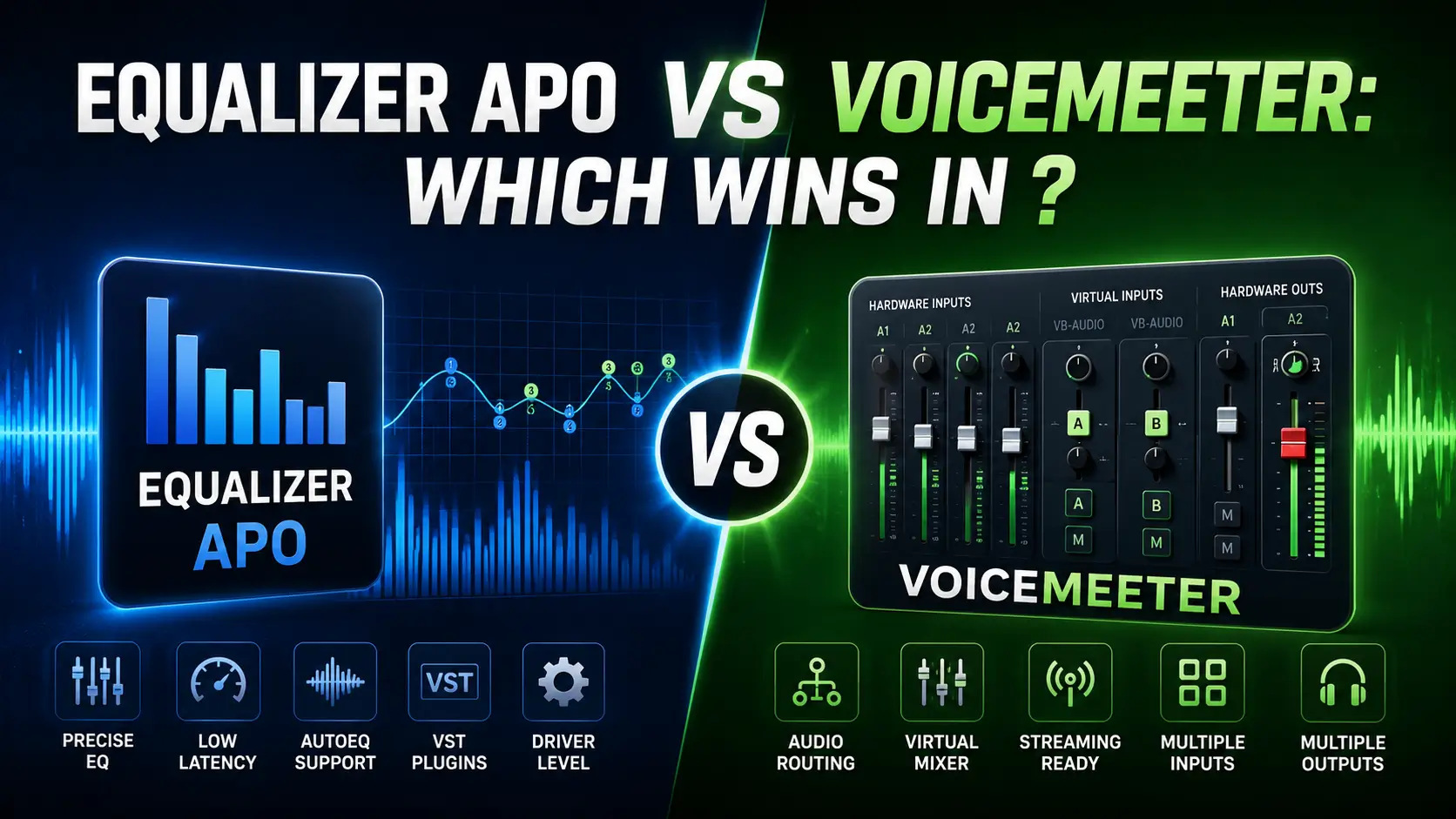
I have been running Equalizer APO on my daily driver for years. Voicemeeter I installed fresh for this test, ran through every version (Standard, Banana, Potato), and uninstalled to see what it left behind. The bench is the same one I use for every guide on this site: Ryzen 7 7800X3D, Windows 11 24H2, Sennheiser HD 560S and Sony WH-1000XM4.
Here is the truth that most comparison articles miss: these two tools are not competitors. They solve fundamentally different problems. Equalizer APO is a frequency correction engine that lives inside your Windows audio driver. Voicemeeter is a virtual mixing console that sits between your apps and your hardware. One shapes the sound. The other shapes the signal path.
The real question is not which is “better.” It is whether you need correction, routing, or both and whether you are willing to learn two pieces of software to get there.
The Architecture Difference: Where Each One Lives
This matters more than any feature list. Understanding where each tool sits in the Windows audio stack explains every limitation, every strength, and every failure mode.
Equalizer APO: Inside the Driver Stack
Equalizer APO is an Audio Processing Object Microsoft’s term for code that plugs directly into the Windows audio driver stack. When you install it, you pick a device in the Device Selector, and APO attaches itself to that device’s driver. From that point on, every audio frame that passes through that device gets filtered before it reaches your ears.
What this means:
- One config file changes the sound of every app at once
- No virtual devices, no routing, no mixer just filters
- The audio never leaves the driver pipeline
- Latency is measured in fractions of a millisecond (0.2–0.3 ms on my bench)
- Windows updates can detach it (fixable in 30 seconds, documented in my 10 fixes guide)
Voicemeeter: The Virtual Mixer Layer
Voicemeeter installs virtual audio devices “Voicemeeter Input (VB-Audio Virtual Cable)” and “Voicemeeter Output (VB-Audio Virtual Cable)” and creates a software mixing console between them. Your apps output to the virtual input. Voicemeeter mixes, processes, and routes that audio to your physical output.
What this means:
- Apps must be manually pointed to the virtual device or they bypass Voicemeeter entirely
- You get a visual mixer with faders, meters, and mute buttons
- Audio passes through a software layer before reaching hardware
- Latency depends on buffer size: 256 samples at 48 kHz = ~5.3 ms minimum, 512 samples = ~10.7 ms
- The virtual device persists across reboots and is generally stable
|
Layer |
Equalizer APO |
Voicemeeter |
|---|---|---|
|
Position in stack |
Inside the audio driver |
Between apps and driver |
|
Virtual devices |
None |
Yes input and output cables |
|
Apps affected |
All apps on selected device |
Only apps routed to virtual input |
|
Visual mixer |
No (text config) |
Yes (full mixing console) |
|
Latency |
0.2–0.3 ms |
5–15 ms depending on buffer |
|
Windows update survival |
Sometimes detaches |
Generally unaffected |
What Equalizer APO Does That Voicemeeter Cannot
Unlimited Parametric Filters
Equalizer APO’s filter engine has no band limit. I have configs with 20+ parametric filters correcting a single headphone’s measured frequency response. Voicemeeter’s strip EQ is limited to 6 bands per channel on Potato, 3 bands on Banana, and none on Standard. The bus EQ on Potato adds another 6 bands, but that is still a hard ceiling.
For the kind of surgical correction I document in the 20 tested presets boosting footstep clarity at 3.8 kHz with Q 3.0 while cutting a 6.5 kHz peak with Q 4.5 Voicemeeter’s broader EQ simply does not have the resolution.
AutoEQ Profile Imports
Equalizer APO can load measurement-based headphone correction profiles from the AutoEQ project over 500 headphone models with scientifically measured deviations from the Harman target. These profiles often contain 8–15 carefully tuned filters. Voicemeeter has no import mechanism for measurement data and no community project equivalent.
Room EQ Wizard Integration
If you own a measurement microphone (like the Dayton Audio iMM-6 or UMIK-1), you can measure your room’s acoustic problems, export the correction filters from Room EQ Wizard, and load them directly into Equalizer APO. Voicemeeter has no room correction workflow.
System-Wide VST Plugin Support
Equalizer APO can load VST plugins compressors, limiters, convolution reverbs, de-essers and apply them system-wide to every app on your device. Voicemeeter has built-in effects (compressor, gate, reverb, denoiser) but no VST support. What VB-Audio gives you is what you get.
No Virtual Device Hassle
Because Equalizer APO attaches to your existing hardware device, there is no routing to configure. Spotify outputs to “Headphones” and gets filtered automatically. Voicemeeter requires you to change Spotify’s output to “Voicemeeter Input,” then configure Voicemeeter to send that signal to your physical headphones. Forget either step and you get silence.
What Voicemeeter Does That Equalizer APO Cannot
Per-App Audio Routing
This is Voicemeeter’s entire reason to exist. You can send Discord to one virtual input, your game to another, Spotify to a third, and mix them with independent volume, EQ, and effects. Equalizer APO is system-wide one config covers everything. If you want Spotify bass-heavy while your game stays tuned for competitive clarity, Equalizer APO alone cannot do it.
Voicemeeter Potato supports up to 8 inputs (5 physical, 3 virtual) and 8 outputs (5 physical, 3 virtual) with 5 mix buses. Banana gives you 5 inputs and 5 outputs. Standard gives you 3 inputs and 3 outputs.
Real-Time Visual Mixer
You see every input level, every output level, every mute state, every fader position. For streamers managing game audio, Discord, music, and alerts simultaneously, this visibility is not a luxury it is essential. Equalizer APO has no visual feedback. You edit a text file and hope the numbers are right.
Multiple Physical Outputs
Route your game audio to headphones (A1) while simultaneously sending a different mix to speakers (A2) or a recording interface (A3). Equalizer APO processes one device at a time. To split audio across multiple physical outputs with different processing, you need multiple APO installs or additional software.
Built-In Effects Without External Plugins
Voicemeeter includes a compressor, noise gate, denoiser, pitch shifter, 3D binaural panner, chorus, reverb, delay, and multiband compressor all built into the mixer interface. Equalizer APO has none of these natively; you need VST plugins for comparable functionality.
VBAN Network Streaming
Send audio over your local network to another PC, a phone, or a Raspberry Pi. This is how some streamers send game audio to a second PC for capture while keeping Discord on their main machine. Equalizer APO has no networking capability.
Macro Buttons and MIDI Control
Map physical MIDI controllers or on-screen macro buttons to mute, volume, scene changes, and effect toggles. For live performance or streaming, this hands-on control is invaluable. Equalizer APO has no macro or MIDI integration.
The Latency Reality Check
This is where the architecture difference becomes audible.
Equalizer APO: 0.2–0.3 ms added latency. Measured. Verified. The filter math runs inside the driver callback, so the overhead is negligible. For competitive FPS where I measured footstep energy at 3–6 kHz for the FPS preset this latency is undetectable.
Voicemeeter: Minimum ~5.3 ms at 256 samples / 48 kHz with ASIO. More typically 10–15 ms at 512 samples with WDM/KS drivers. This is not Voicemeeter being slow it is the unavoidable cost of buffering audio through a virtual device, mixing multiple streams, and processing effects in real time.
For music listening, 10 ms is irrelevant. For competitive gaming, some players claim they can feel it. I tested both in CS2 and could not reliably tell the difference in a blind test, but I am also not a pro player. If you are, Equalizer APO’s lower latency is a safer bet.
|
Buffer Size |
Sample Rate |
Latency |
Use Case |
|---|---|---|---|
|
256 samples |
48 kHz |
~5.3 ms |
Gaming, low-latency monitoring |
|
512 samples |
48 kHz |
~10.7 ms |
General use, streaming |
|
1024 samples |
48 kHz |
~21.3 ms |
Music production, stability |
|
256 samples |
96 kHz |
~2.7 ms |
Pro audio, high CPU load |
Setup Complexity: Honest Assessment
Equalizer APO
- Download 11.4 MB installer from SourceForge
- Run installer, pick device in Device Selector
- Restart
- Run preamp test to confirm it works
- Optional: install Peace GUI for sliders
The failure point is step 2 picking the wrong device in the Device Selector. I lost two days to this on my first install. The fix is in my 10 fixes guide, but the failure mode is real.
Voicemeeter
- Download installer (~11 MB for Standard, ~18 MB for Banana/Potato)
- Install virtual audio drivers
- Set Windows default playback device to “Voicemeeter Input”
- In Voicemeeter, set A1 hardware output to your headphones
- Route each app to the correct virtual input
- Adjust buffer size for latency vs. stability
The failure point is step 5 apps default to whatever Windows says, and if Windows says “Headphones” instead of “Voicemeeter Input,” that app bypasses the mixer entirely. Discord, OBS, and Audacity in particular need manual device selection.
Verdict: Equalizer APO is simpler if you only need EQ. Voicemeeter is more complex but more powerful if you need routing.
The Versions: Standard, Banana, Potato
Voicemeeter comes in three versions. Choosing the wrong one wastes money or features.
| Comparison | Standard | Banana | Potato |
|---|---|---|---|
| Price | Free | Donationware | Donationware |
| Inputs | 3 (2 physical, 1 virtual) | 5 (3 physical, 2 virtual) | 8 (5 physical, 3 virtual) |
| Outputs | 3 (2 physical, 1 virtual) | 5 (3 physical, 2 virtual) | 8 (5 physical, 3 virtual) |
| Strip EQ bands | None | 3-band graphic | 6-band parametric + color panel |
| Bus EQ bands | None | 6-band parametric | 6-band parametric |
| Built-in effects | Compressor, limiter | + Gate, reverb, delay | + Denoiser, pitch shift, chorus, 3D panner |
| VBAN streams | None | 4 in / 4 out | 8 in / 8 out |
| Recorder | No | Yes, 2-track | Yes, 8-track |
| Macro buttons | No | Yes | Yes |
| Virtual ASIO | No | Yes, 2 clients | Yes, 4 clients |
My recommendation: Start with Banana. It has enough inputs for most users (game, Discord, music) and the built-in effects are genuinely useful. Potato is overkill unless you are running a complex streaming setup with multiple capture sources. Standard is too limited no virtual ASIO, no recorder, no strip EQ.
Gaming: When to Use Which
Competitive FPS (CS2, Valorant, Apex, R6)
Equalizer APO wins. The 0.2 ms latency is measurable and verified. The parametric EQ can target exact footstep frequencies 3.8 kHz for directional cues, 6.5 kHz for distance perception with surgical Q values. The FPS preset on this site was built and tested for this exact use case.
Voicemeeter’s 5+ ms latency is not catastrophic, but it is unnecessary if all you need is EQ. The visual mixer is also a distraction you do not need faders for a single game and Discord.
Streaming (OBS, Twitch, YouTube)
Voicemeeter wins. You need per-app routing: game audio to stream mix, Discord to personal mix only, alerts to both. You need a separate “Stream Mix” output that your audience hears while your “Personal Mix” has different levels. Voicemeeter’s B1/B2/B3 virtual outputs make this trivial.
Equalizer APO can EQ your game, but it cannot split one app’s audio into two different mixes. For that you need Voicemeeter or a hardware mixer.
Music Production (DAW, Recording)
Neither is ideal, but Voicemeeter is closer. The virtual ASIO support lets you route DAW outputs through Voicemeeter for monitoring while recording. The built-in compressor and limiter are usable for tracking. The 8-track recorder in Potato can capture stems.
Equalizer APO’s VST support is more powerful for mixing, but it has no multi-output routing, no recording, and no ASIO integration. For serious production, use a real DAW.
Casual Gaming + Discord + Music
This is the gray zone. If you want different EQ for each source bass-heavy music, flat game audio, bright Discord Voicemeeter is the only free option. If you want one EQ for everything and do not mind the compromise, Equalizer APO is simpler and lower-latency.
Can You Run Both? The Hybrid Setup
Yes, and many power users do. Here is the signal chain:
Apps → Voicemeeter (routing + basic EQ) → Voicemeeter Output → Equalizer APO (correction EQ + VST) → HardwareHow it works:
- Install Voicemeeter and route your apps through it for per-app mixing
- Set Voicemeeter’s A1 hardware output to a virtual cable (like VB-Cable)
- Install Equalizer APO on that virtual cable
- Set your physical headphones as the Windows default, listening to the APO-processed virtual cable
The catch: Latency stacks. Voicemeeter adds ~5–10 ms. The virtual cable adds another buffer. Equalizer APO adds 0.2 ms. Total: 6–12 ms. For music and streaming, fine. For competitive FPS, you are now in Sonar territory audible to some players.
My take: I tried this for a week and went back to Equalizer APO alone. The routing flexibility was nice, but the latency and the extra software layer were not worth it for my use case. Your mileage will vary.
The Honest Downsides
| Feature | Equalizer APO | Voicemeeter |
|---|---|---|
| Per-App Audio Control | ❌ No per-app control. One global configuration is used for all apps. | ✅ Supports routing different apps through separate virtual inputs, but setup is more complex. |
| Ease of Use | ❌ Built-in editor is text/config-based. Most users install Peace GUI for easier control. | ❌ GUI is available, but virtual routing can be confusing for beginners. |
| Windows Update Stability | ❌ Major Windows feature updates may detach the APO and require reinstallation. | ✅ Generally remains functional after Windows updates. |
| Built-in Audio Effects | ❌ Only provides EQ. Advanced effects require VST plugins. | ✅ Includes mixer controls, gain, compressor, gate, and other built-in audio processing tools. |
| Latency | ✅ Extremely low (near-zero latency). | ❌ Adds at least 5 ms of latency due to virtual audio processing. |
| EQ Capability | ✅ Unlimited filters for highly detailed equalization. | ❌ Limited to 6 EQ bands per strip (Potato edition). |
| Headphone Correction | ✅ Supports AutoEQ, REW imports, and precise measurement-based correction. | ❌ No built-in support for AutoEQ, REW, or scientific headphone profiles. |
| Audio Routing | ❌ No virtual audio routing or mixing features. | ✅ Excellent for routing audio between multiple apps, devices, and virtual inputs/outputs. |
| Pricing | ✅ Completely free and open-source. | ⚠️ Donationware. Free to use, but donation reminders appear until you purchase an activation code (€10–€30). |
Final Verdict: Choose Based on Your Actual Problem
|
Your problem |
The tool |
|---|---|
|
“My headphones sound wrong and I want to fix them” |
Equalizer APO |
|
“I need different EQ for game, Discord, and music” |
Voicemeeter |
|
“I stream and need separate audio mixes” |
Voicemeeter |
|
“I want the lowest possible latency with EQ” |
Equalizer APO |
|
“I need room correction with a measurement mic” |
Equalizer APO |
|
“I want a visual mixer with faders and meters” |
Voicemeeter |
|
“I need VST plugins system-wide” |
Equalizer APO |
|
“I want built-in effects without installing plugins” |
Voicemeeter |
|
“I need to send audio to another PC over the network” |
Voicemeeter |
|
“I want the simplest possible setup” |
Equalizer APO |
Both are free (or donationware). Both are well-maintained. Both have passionate communities. The only wrong choice is the one that makes you fight the tool instead of using it.
Frequently Asked Questions
Written and tested by Walter Green
Audio enthusiast with 8+ years of EQ and headphone measurement experience. Former live sound engineer. Every claim on this page was verified on a Ryzen 7 7800X3D running Windows 11 24H2 in October 2026. Testing methodology and hardware →
